How to Fish Beginner's Guide: From First Catch to First Boss
Updated 2026-08-25
A complete beginner's guide for How to Fish on Steam. Learn the opening loop, first quests, boat upgrades, and how to defeat your first boss.
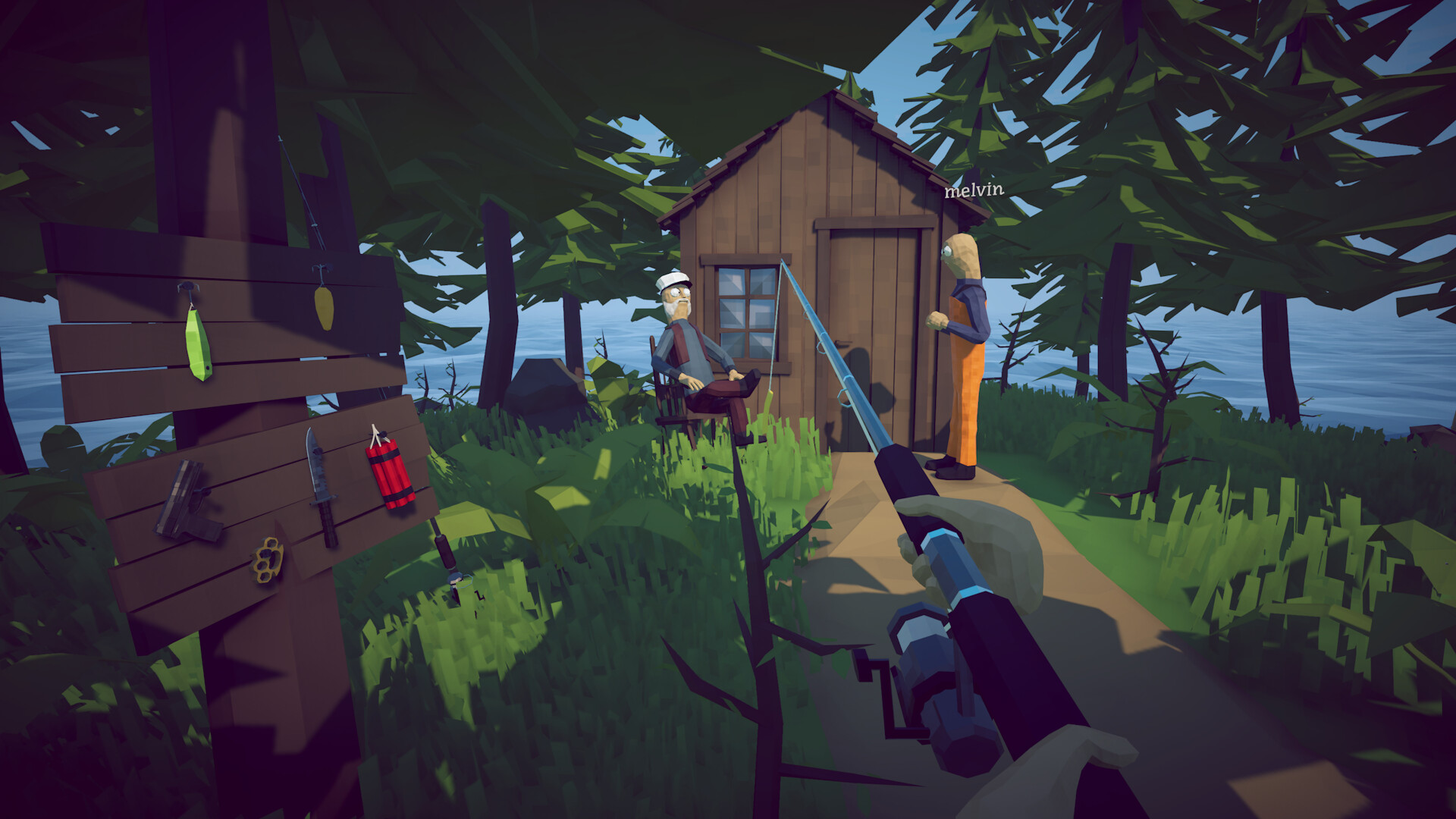
Welcome to the island
How to Fish opens with a simple premise: you crash a small boat into an island while drinking and boating. You start with no gear and no weapons. The official Steam store page describes the core loop as 'fish fish, kill fish, sell fish.' Your first goal is to find a fishing rod, catch or kill your first creature, and sell it for cash.
The first 10 minutes: what to do
After the intro, search the beach and nearby shacks for a basic fishing rod. Cast toward any moving creature in the water, reel it in, then sell it at the nearest vendor. Once you have a little money, buy a cheap weapon. The 'Getting started' Steam achievement unlocks after your first kill, so this is also your first progress check.
How quests and islands work
Progression in How to Fish is quest-driven. The Steam page lists the loop as: complete quests, fight bosses, unlock new islands. The first questline comes from the lighthouse keeper, whose beer has been stolen. Buy him a Beer Can so he hands back the Empty Beer Can, use it to summon the Spider Crab, and feed him the boss meat. He gives you the boat keys, unlocking the boat and the route to the Forest island.
Boat upgrades come first
The 'Getting an upgrade' achievement confirms that boat engines can be upgraded. Faster engines let you reach later islands sooner, which in turn unlock better rods, weapons, and attachments. For a smooth start, prioritize engine upgrades over cosmetics.
Combat fundamentals
Aim and throw/fish with physics in mind. The game is physics-based, so momentum and arc matter. Early on, a basic weapon is enough for small creatures. For the first boss, keep your distance, learn its attack timing, and use the environment for cover. The official store page warns that later islands have 'more dangerous creatures and better gear.'
Common beginner mistakes
New players often ignore the boat, try to fight everything bare-handed, or skip selling loot. Money is your only path to better gear, so sell every spare creature. Also, do not ignore seagulls — the 'Let me go' achievement proves they can pick you up and stall your run.
What to do after the first boss
Once the Spider Crab is beaten and the keeper has handed over the boat keys, sail to the Forest island. The Forest quest has you gather three leeches for the woman by the lake, who trades them for the Leech Bait that summons the Giant Piranha. This sets up the mid-game loop: quest, boss, upgrade, repeat.
A safer first-session checklist
Before ending the first session, collect upgraded gear from the ground, inspect the active quest, and confirm any unusual boss object is in inventory rather than mixed with ordinary meat. Use the game's Save, Main Menu, or Quit actions and wait for the transition. On the next load, verify weapons, money, engine progress, and objective before making another purchase. This small routine matters because launch-week players reported item and save-state confusion; it also gives you a clear last known-good point if a later patch or co-op disconnect changes the session.
What is confirmed and what can change
Steam confirms the broad catch, fight, sell, upgrade, quest, boss, and island loop, along with single-player and online co-op support. Exact prices, optimal weapons, item spawns, shortcuts, and boss behavior can change with retail patches. Treat the current objective and developer announcements as the authority for your build. When a community tip conflicts with the game, do not force the old route; record your version and use the progression or patch guide to identify the changed step.
How to apply this guide safely
Begin with “Welcome to the island” and compare it with the objective, inventory, and controls shown by your installed build. Do not change several variables at once. If the guide concerns progression, complete one dialogue or hand-in and confirm the objective changed before sailing away. If it concerns combat, test the control or equipment choice on an ordinary encounter before spending a boss trigger. If it concerns troubleshooting, preserve the save and start with reversible checks such as restarting the session and verifying files.
Keep a short run record with the game version, solo or co-op state, host identity, starting objective, relevant equipment, steps taken, and outcome. Physics, network state, and retail patches can make two attempts look different even when both players describe them honestly. A controlled record lets you identify which condition changed. It also gives the developer a useful reproduction if the result points to a defect rather than a missed quest step.
Evidence and version check
This article uses Steam Store — How to Fish, Steam Community Achievements — How to Fish. Official store text and developer announcements establish supported features and broad progression. Steam achievement wording establishes that a named action exists, but it does not prove an exact coordinate, probability, price, damage value, or hidden timer. Community discussions can reveal a repeated problem and possible workaround, but one reply is not treated as a universal mechanic. Where evidence stops, the guide uses cautious testing steps instead of inventing a precise answer.
Before relying on an older route, check the Steam news and discussion dates against the updated date at the top of this page. Prefer the current in-game objective when it conflicts with a video or forum post. Avoid unknown executables, replacement saves, cheats, or destructive file edits offered as shortcuts. A legitimate workaround should be explainable, reversible, and testable without surrendering account credentials or deleting the only known-good save.
Completion check
Finish with “What is confirmed and what can change,” then verify the result in the system that matters: quest log for progression, inventory for items, Steam for achievements, or a repeatable symptom check for a technical fix. Do not treat a visual animation alone as proof that the save registered the event. Wait for a normal transition and inspect the state before selling items, changing hosts, or starting another objective. If the result differs from this page, send the URL, build number, exact steps, and observed result through the contact page; that evidence is how we correct guides without turning uncertain reports into false facts.
Sources & Evidence
Claims are backed by the following sources. Unknowns are marked explicitly.
- Steam Store — How to FishOfficial / Tier 1Checked 2026-08-25
- Steam Community Achievements — How to FishCommunity / Tier 2-3Checked 2026-08-25