How to Fish Items Disappeared? Safe Checks for Lost Guns & Gear
Updated 2026-09-08
Official patch changes through 1.0.12, grounded-item limits, seagull theft, co-op desync, and safe checks when weapons or quest drops vanish.
Start here · current safe response
What disappeared?
Choose the closest symptom. You will get the safest current action, what the evidence can actually prove, and the right next guide if the first check does not solve it.
What Patch 1.0.10 changed for dropped items
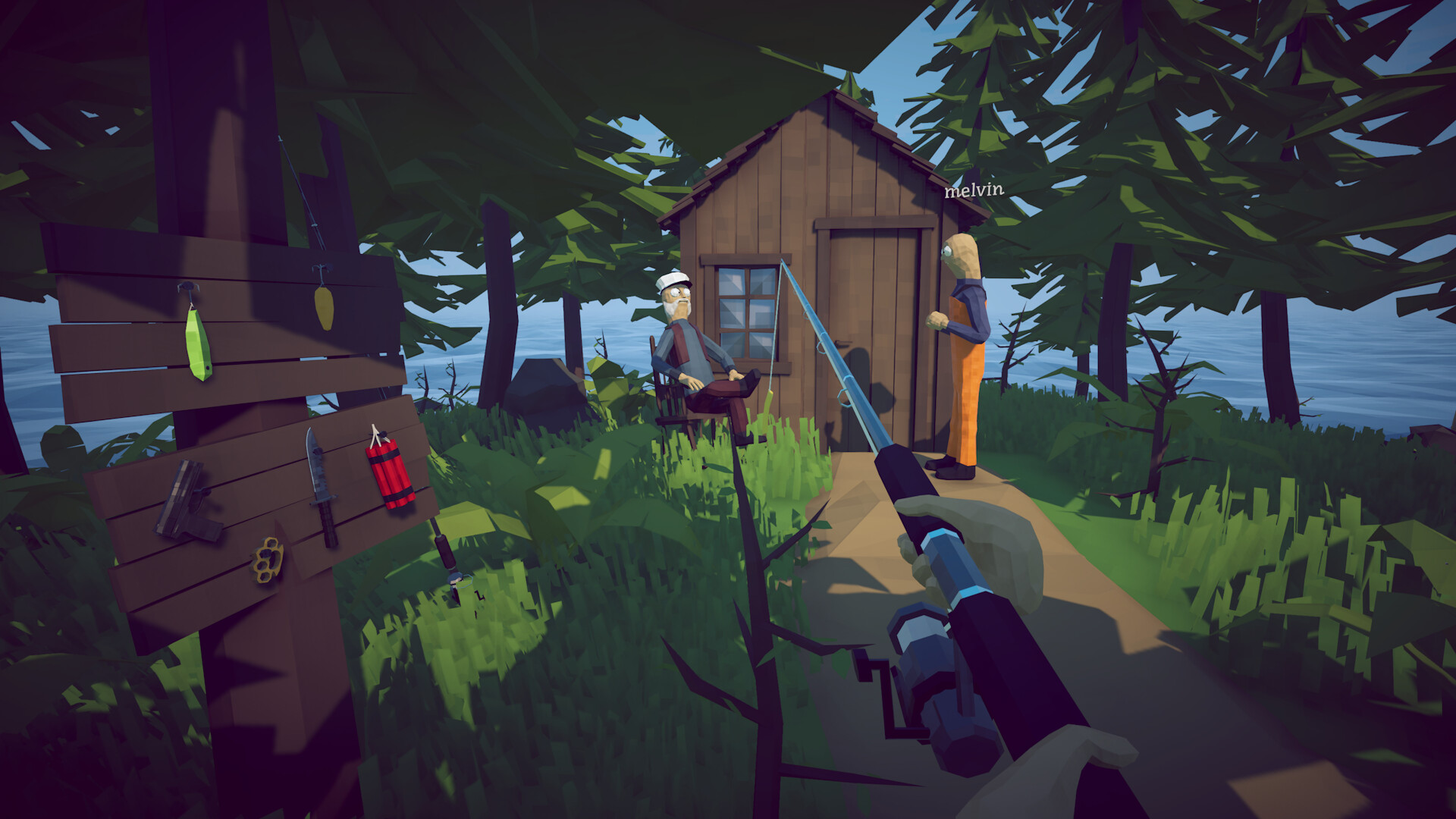
Dazed Games' Patch 1.0.10 (August 27, 2026) introduced a 64-item limit for objects left on the ground: the game now saves up to 64 dropped ground items between sessions, and when the cap is reached, weapons, tools, quest items and creatures receive priority. This reverses the older expectation that every loose object disappears on quit, but it does not promise unlimited storage. If your deck or island is cluttered with dozens of shells, meat chunks and junk, a valuable gun can still fall outside the priority window and vanish. The patch also notes an attempted fix for items falling through the level after load or lobby join, and an attempted fix for inventory items appearing far away when equipped. 'Attempted' means these are ongoing, not guaranteed solved.
Seagulls steal catches you leave on the ground
The G2A beginner guide and community reports both confirm a mechanic that is easy to miss: seagulls will steal valuable catches left lying around. If you kill a creature and walk away without putting it into inventory, a gull can grab it. This is not a bug — it is an intentional environmental hazard. There is even an achievement for killing a seagull with dynamite. The fix is immediate: pick up every expensive catch or boss drop into inventory before doing anything else. Do not treat the boat deck or shoreline as temporary storage while you sort other tasks.
Boss trophies look like sellable junk — but they are not
Launch-week discussions on Steam and the G2A guide both flag this as the most common progression blocker. Bosses drop unusual objects — shells, skeletons, fins, heads, tails — that look valuable but may be the exact quest item an NPC needs. If you sell, cook or throw the Pufferfish tail, Bird head, Giant Piranha skeleton or Whale trophy before handing it in, the next island will not unlock and the boss may need to be resummoned with another expensive lure. The safe rule: inspect every unfamiliar boss drop, keep one copy in a protected inventory slot, and carry it to the quest giver before selling anything from that fight.
What Patch 1.0.12 changes — and does not guarantee
Patch 1.0.12 limits item velocity, which the developer says will hopefully make items harder to lose. This supports searching the nearby impact area after an explosion; it does not prove a vanished object was recovered or that every physics launch is fixed. The same patch adds Steam Cloud. For an existing world, play and exit once on the original PC to upload it, but do not expect cloud sync to reconstruct an item already absent from that save.
Preserve the current state before recovery
If something goes wrong, close through Main Menu or Quit when possible, preserve a copy using supported platform tools, and keep the live data unchanged while you identify the known-good version. Patch 1.0.11 confirms native backups but does not publish a manual restore sequence. Patch 1.0.12 confirms cloud storage but not a merge rule. Do not delete a reported corrupt file, force a cloud overwrite or move individual files based on an unverified forum comment.
If items are missing right now, do this first
One: stop saving. Every new write can overwrite the last healthy copy. Two: close the game normally through Main Menu or Quit instead of alt-F4. Three: copy the entire save folder to a safe location before trying any fix. Four: verify the installed patch in Steam — Patch 1.0.6 changed crash-time saving so crashes no longer write a save, and Patch 1.0.9 added another anti-corruption attempt that the notes describe as 'hopefully fixed.' These are prevention boundaries, not retroactive resurrection tools. If an item is already gone, repeated loading and spending will not bring it back.
Co-op desync: when one player sees the item and another does not
Multiplayer reports describe a specific symptom set: an object falls slowly, cannot be picked up, shows the wrong player appearance, or exists for the host but not a client. These are synchronization problems, not simple local bugs. When this happens, stop passing the item between players. Let the host control the next step. Save only after the group agrees on the visible state. Test with an expendable item before risking upgraded gear. Record host/client roles, connection quality and the exact object. If a player disconnects mid-boss, pause and record who held the trophy before anyone saves.
Physics can move items, not just delete them
Before assuming an item is gone forever, search the actual environment. Physics can roll an object downhill, into water, under another body, behind a prop, or away from an explosion. Inspect the boat deck thoroughly — Patch 1.0.10's 64-item cap applies here too. Check inventory pages, hotbar, equipment slots and storage. Ask co-op partners whether they see or hold it. In the case of the Radar or boat keys, some players have reported these appearing to vanish when they were simply not equipped or were handed to another player.
Build a 30-second backup habit
Before boss fights, island jumps or co-op sessions, make a manual copy of the save folder. The simplest Windows approach: press Win+R, paste %userprofile%\AppData\LocalLow, hit Enter, open Dazed Games, copy the How to Fish folder to Documents or another drive, and name it with the date and context (for example, 'HowToFish-backup-2026-08-28-after-island-2'). Keep at least two checkpoints and do not overwrite the only known-good copy. In-game, press Save after expensive purchases, boss drops or upgrades, then exit through Main Menu or Quit so the write completes. Do not rely solely on the one-minute autosave.
When to report instead of retry
If a weapon crashes the game when equipped, Patch 1.0.9 specifically tells affected players to use the Dazed Games Community Discord for item-removal guidance. If the boat is missing after loading, or all equipment is gone after an update, preserve the save first and report the exact state through official channels. Include: game version, solo or co-op, host or client role, missing item names, last button used (Save, Main Menu, Quit or forced close), and approximate time between purchase and the problem. Do not download a stranger's replacement save or run unknown inventory editors.
How to apply this guide safely
Begin with “What Patch 1.0.10 changed for dropped items” and compare it with the objective, inventory, and controls shown by your installed build. Do not change several variables at once. If the guide concerns progression, complete one dialogue or hand-in and confirm the objective changed before sailing away. If it concerns combat, test the control or equipment choice on an ordinary encounter before spending a boss trigger. If it concerns troubleshooting, preserve the save and start with reversible checks such as restarting the session and verifying files.
Keep a short run record with the game version, solo or co-op state, host identity, starting objective, relevant equipment, steps taken, and outcome. Physics, network state, and retail patches can make two attempts look different even when both players describe them honestly. A controlled record lets you identify which condition changed. It also gives the developer a useful reproduction if the result points to a defect rather than a missed quest step.
Evidence and version check
This article uses Dazed Games — Steam Cloud support and Patch 1.0.12, Steam Community Hub — official announcements, Steam Discussion — saved game and lost items, G2A — How to Fish Beginner Guide (seagulls & boss trophies), howtofishgame.wiki — Patch 1.0.10 save & item changes. Official store text and developer announcements establish supported features and broad progression. Steam achievement wording establishes that a named action exists, but it does not prove an exact coordinate, probability, price, damage value, or hidden timer. Community discussions can reveal a repeated problem and possible workaround, but one reply is not treated as a universal mechanic. Where evidence stops, the guide uses cautious testing steps instead of inventing a precise answer.
Before relying on an older route, check the Steam news and discussion dates against the updated date at the top of this page. Prefer the current in-game objective when it conflicts with a video or forum post. Avoid unknown executables, replacement saves, cheats, or destructive file edits offered as shortcuts. A legitimate workaround should be explainable, reversible, and testable without surrendering account credentials or deleting the only known-good save.
Completion check
Finish with “When to report instead of retry,” then verify the result in the system that matters: quest log for progression, inventory for items, Steam for achievements, or a repeatable symptom check for a technical fix. Do not treat a visual animation alone as proof that the save registered the event. Wait for a normal transition and inspect the state before selling items, changing hosts, or starting another objective. If the result differs from this page, send the URL, build number, exact steps, and observed result through the contact page; that evidence is how we correct guides without turning uncertain reports into false facts.
Sources & Evidence
Claims are backed by the following sources. Unknowns are marked explicitly.
- Dazed Games — Steam Cloud support and Patch 1.0.12Official / Tier 1Checked 2026-09-06
- Steam Community Hub — official announcementsOfficial / Tier 1Checked 2026-08-25
- Steam Discussion — saved game and lost itemsCommunity / Tier 2-3Checked 2026-08-28
- G2A — How to Fish Beginner Guide (seagulls & boss trophies)Third-party / Tier 4Checked 2026-08-28
- howtofishgame.wiki — Patch 1.0.10 save & item changesThird-party / Tier 4Checked 2026-08-28